

GamesPK Login
I get asked about the GamesPK login screen more than almost any other app in the local casual-gaming crowd. So here’s the plain-English version how to sign in, what to do when it won’t let you, and the small things that stop most people getting stuck.
What we Know About GamesPK
GamesPK is a mobile-first casual gaming app that’s picked up a real following in Pakistan over the last year. It bundles slot-style rooms, small card games, and a few arcade mini-games behind one account. Everything runs on in-app coins, and you get a fresh drop of free coins each day for logging in which, unsurprisingly, is why the login screen matters so much to regular players.
GamesPK Login: the standard sign-in flow
If you already have an account, signing in takes about ten seconds on a decent connection. Open the app, and the login screen is the first thing you’ll see.
- Launch the GamesPK app on your phone.
- Tap Login on the welcome screen.
- Enter the mobile number you registered with (include the correct country code).
- Type your password “mind the caps, this field is case-sensitive”.
- Tap Sign In and wait for the lobby to load.
After the first successful login, the app usually keeps you signed in on that device. You’ll only get pushed back to the login screen if you log out manually, reinstall, or switch phones.
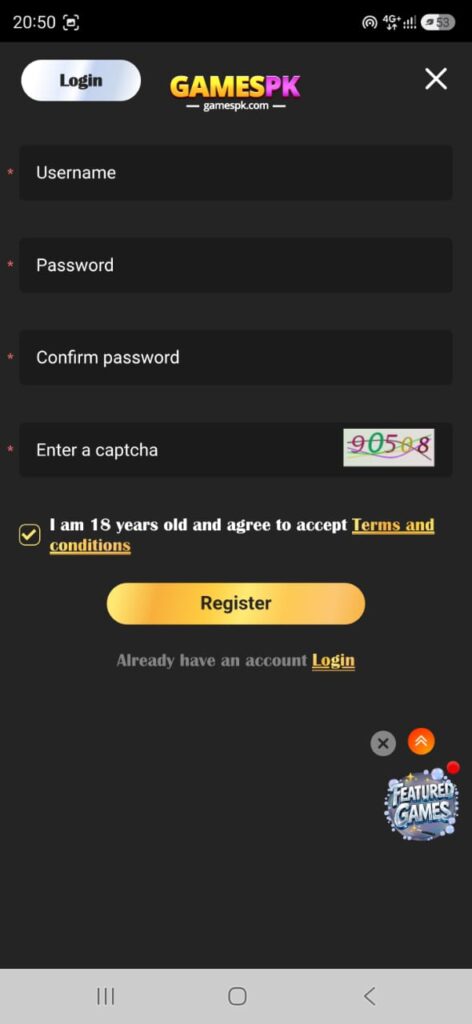
How to register a new GamesPK account
No account yet? Registration is quick and doesn’t ask for anything silly like a passport scan.
- On the login screen, tap Register (or “Sign Up”).
- Enter an active Pakistani mobile number you’ll need it for the OTP.
- Choose a password you’ll actually remember later.
- If a friend gave you a referral code, enter it now — both of you usually get a bonus.
- Tap Get OTP, enter the code from the SMS, and confirm.
That’s it. You’ll land straight in the lobby with your first-time bonus already credited. Write your password down somewhere safe account recovery on apps like this is smoother when you don’t need it in the first place.
Forgot your password? Here’s the fix
The password reset flow uses the same phone number you registered with. Tap Forgot Password on the login screen, enter your number, request an OTP, and set a new password once the code is verified. It’s the same two-minute loop as registration just don’t request three OTPs in a row, because the app will throttle you and you’ll have to wait.
GamesPK login not working? The usual suspects
Nine times out of ten, a failed GamesPK login isn’t a server problem, it’s one of these:
- Wrong country code. Make sure it’s set to +92 for Pakistan, not a default that carried over from another app.
- Caps lock or a hidden space. Long-press the eye icon and check what you actually typed.
- Weak signal for the OTP. If the SMS never arrives, move somewhere with better reception and tap Resend after 60 seconds.
- Outdated app. An old APK sometimes can’t reach the current login server. Reinstall the latest version from the official site.
- Device time is wrong. Auto-set your phone’s date and time, a wrong clock breaks the security handshake and the login silently fails.
If none of that works, log in from a different phone using the same number and password. If it works there, the issue is your device; if it fails there too, it’s the account.
Keep your GamesPK account safe
A few habits go a long way. Don’t share your password or OTP with anyone, no genuine support agent will ever ask for either. Don’t log in on someone else’s phone unless you plan to log out immediately after. And avoid modded APKs that promise unlimited coins; they either steal your login or get your account banned, sometimes both.
Why the GamesPK login screen matters more than you think
On most casual games the login screen is a formality. On GamesPK it’s actually the doorway to your daily bonus, your coin balance, your referral rewards, and any pending event prizes. Miss a day and you break your login streak, which for regular players is a real (small) loss. That’s why players in Karachi, Lahore, and Islamabad treat the GamesPK login almost like a morning check-in.
Final words for GamesPK
The GamesPK login process is genuinely one of the simplest in the category, phone number, password, OTP if you need one, and you’re in. Keep your credentials to yourself, use the official app, and don’t chase losses if you ever top up. Treat it as a ten-minute daily habit and it stays fun. That’s the whole trick.